Short answer
Start with Upscayl Standard, the default, for most images. Use Digital Art for drawings and High Fidelity for realistic detail. Remacri, Ultramix and Ultrasharp are marked non-commercial in the app. Every built-in model is native 4x; smaller scales are made by shrinking the 4x result, and scales above 4x only resize.
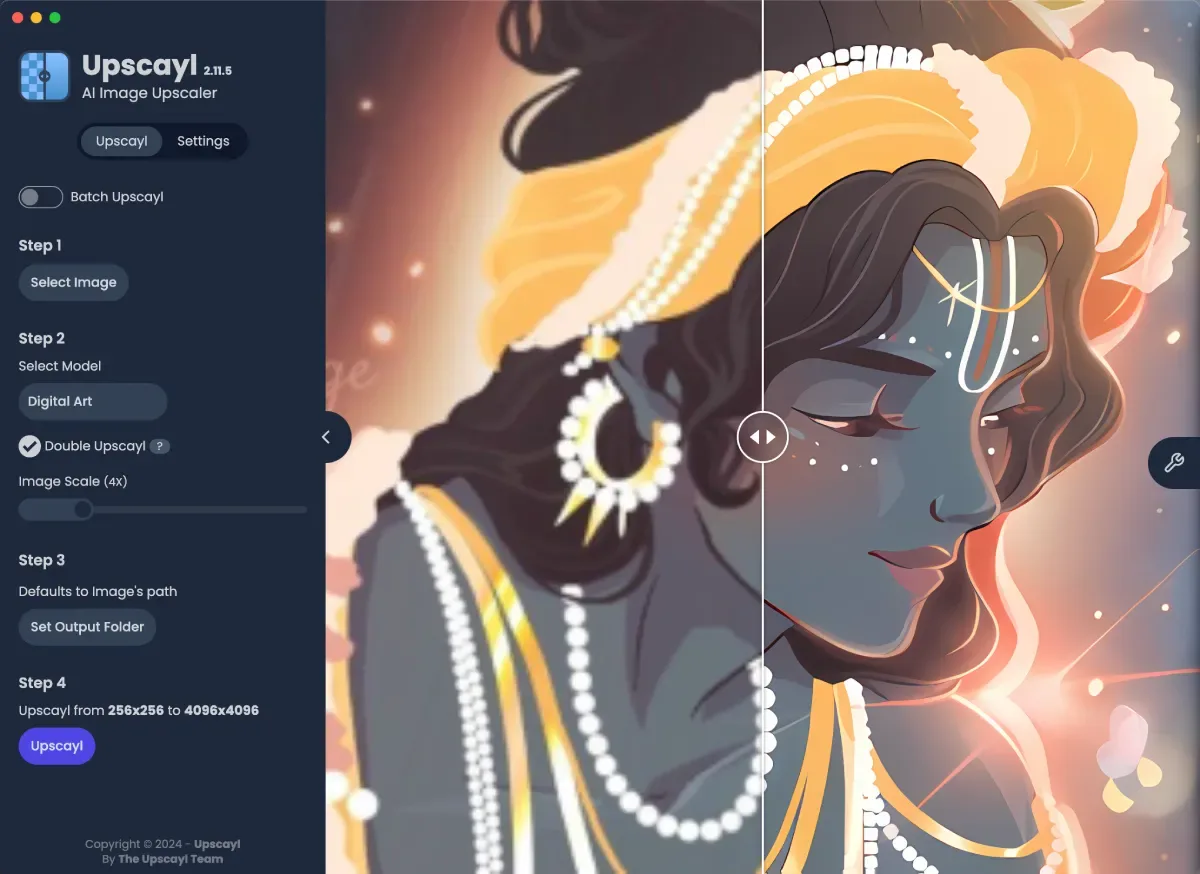
How do I compare Upscayl models on one image?
- Upscale with the default model. Run one image with Upscayl Standard and keep the output file.
- Open the model list. In Step 2 click the model name; the dialog shows a before and after example and a one-line description for each model.
- Pick one alternative. Choose the model whose example looks most like your picture, such as Digital Art for an illustration.
- Upscale the same image again. Click Upscayl. The new file gets the other model's name in its file name, so both results stay side by side.
- Compare the two outputs at 100% zoom. Open both results and keep the one with believable detail and no halos or plastic textures.
What does the Image Scale setting really do?
The scale decides the final size, but the model always works at 4x. Upscayl reads a model’s native scale from its name and treats anything without x2 or x3 in it as 4x (check-model-scale.ts). If you pick a different scale, it passes that scale to the engine separately (get-arguments.ts), and the project guide explains that the 4x output is then downscaled. The slider runs from 1x to 16x; the app itself warns that anything above 4x, except 16x with Double Upscayl, only resizes and adds no AI detail.
When should I use Double Upscayl or TTA mode?
Leave both off until one model gives a result you like. Double Upscayl runs the model twice on the same image, which the app warns can take much longer and strain the GPU at high scales. TTA Mode (test-time augmentation), added in 2.15.0, can remove some artifacts, but the app says it makes processing about 8x slower. Use either on a single image first and compare it with the plain result before using it on a folder.
How do I add custom Upscayl models?
Custom models are NCNN files in pairs, a .bin and a .param with the same name, placed in a folder you create. The custom models guide covers the steps: in Settings, find Add Custom Models, click Select Folder and choose that folder; the models then appear in the Step 2 list. The official custom-models repository, launched with version 2.5.0, is the safest source. Check each model’s licence before using its output commercially.
| Model | The app's description | Licence label in the app |
|---|---|---|
| Upscayl Standard (default) | Suitable for most images | No restriction shown |
| Upscayl Lite | Most images; faster, with minimal quality loss | No restriction shown |
| High Fidelity | All kinds of images; realistic detail, smooth textures | No restriction shown |
| Digital Art | Digital art and illustrations | No restriction shown |
| Remacri | Natural images; added sharpness and detail | Non-Commercial |
| Ultramix Balanced | Natural images; balance of sharpness and detail | Non-Commercial |
| Ultrasharp | Natural images; focus on sharpness | Non-Commercial |
Read from Upscayl 2.15.0: common/models-list.ts and the model names and descriptions in renderer/locales/en.json. High Fidelity was added in 2.15.0.
Frequently asked questions
Which Upscayl model is best?
None wins on every image. Upscayl Standard is the default and suits most pictures; Digital Art is meant for illustrations; High Fidelity aims at realistic texture. Run the same image through two models and keep the result that looks right at 100% zoom.
Are Upscayl's default models native 2x models?
No. Every built-in model is a 4x model. When you choose 2x or 3x, Upscayl makes the 4x image and then scales it down. For true 2x or 3x output, load a matching custom model, such as the x2 and x3 models in the official custom-models repository.
Can I use Upscayl results commercially?
The app itself is AGPL-3.0 software. Three built-in models, Remacri, Ultramix and Ultrasharp, are labelled Non-Commercial in the model list, while Upscayl Standard, Upscayl Lite, High Fidelity and Digital Art carry no such label. For commercial work, start with those four.